
Snacks that do things
Six foods to start with, each with its own effect. Pizza fills him right up but makes him sleepy; milk perks him up.
A desktop pet for your Mac
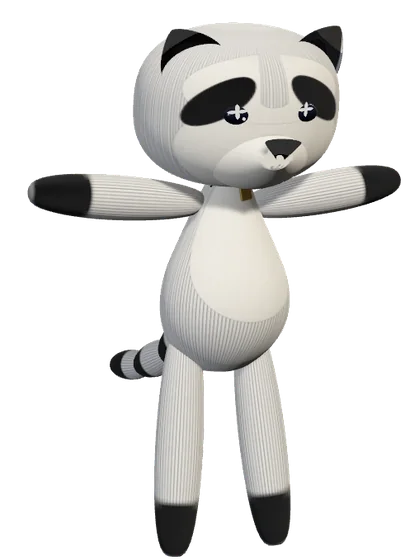
A plush pet that lives just above your Dock: a raccoon, a cat, a fluffy blob, or one made from photos of your own dog. Feed it, play with it, tuck it in at night, and it keeps you company while you work, chatting back when you talk to it.
Food · Fun · Energy
He has three needs, shown in the paw up in your menu bar. Keep them up and he's a happy raccoon; let them slip and he'll come and tell you about it.
Six foods to start with, each with its own effect. Pizza fills him right up but makes him sleepy; milk perks him up.
Pick him up and throw him across the screen, play fetch or hide & seek. He'll forgive you. He'll even ask for more.

He gets sleepy at night and naps when his energy runs low, with a little "good night" you get to read first. Click to wake him.
Per serving, out of a full bar of 100
| Food | Food | Fun | Energy | What it does | Give |
|---|
And a wardrobe: tick what he wears, pick its colours and patterns (stripes, dots, checks, knit), or let him dress for the weather himself.
Chat & voice
Type to him or just talk out loud. He answers in his bubble and in his own voice, remembers your day, and slowly grows a personality of his own.
 You fixed that bug before coffee and I ate three blueberries 🫐 We make a good team!Okay… wake me up if you need me 😴
Plugin store
Out of the box he's just your pet. Reminders, a to-do list, meeting heads-ups, the weather: each one is a plugin you add when you want it, and his menu grows to match. Try it: add one here and he'll learn it.
Characters & packs
Start with Szopi the raccoon or any of his twelve plush friends, or make your own in the character editor. Drop in a few photos of your real pet (or a favourite toy) and it designs the plush for you (this uses your OpenAI key). Packs add more: new snacks, new friends and photo-booth backdrops, installed with a double-click.
A pack is a zip with a manifest.json, a character exported from the editor and a picture or two. No code runs, ever: every pack is checked before it's installed.
{
  "format": "pettiepack", "api": 1,
  "id": "summer-snacks", "name": "Summer snacks",
  "contributes": {
    "foods": [{ "name": "Watermelon", "emoji": "🍉",
                "fullness": 0.2, "happiness": 0.08 }],
    "characters": ["characters/sunny.mascot"],
    "backdrops": [{ "name": "Beach day", "image": "backdrops/beach.jpg" }]
  }
}
Agent bridge · MCP
Add the Agent bridge plugin and Claude Code, Claude Desktop or any MCP client can put a message in his bubble, celebrate when the tests pass, or ask you a question with buttons. Each app has to be allowed first.
saycelebrateaskset_statusget_statusadd_todoadd_reminderclaude mcp add pettie -- "/Applications/Pettie.app/Contents/MacOS/Pettie" --mcpMade to be trusted
His memories, diary and your notes stay on your Mac. Back them up or move them with one file.
Chat uses Apple's on-device model or your own OpenAI key. No Pettie account, no middleman.
Every helper is a plugin you switch on. Remove it and it's off; your pet stays the same.
An agent can only reach him after you click Allow, and you can see everything it said.

Download Pettie, drag it to Applications and open it. A parcel lands on your desktop. You know what to do.
Download PettieAlready have a pet? Updating keeps him exactly as he is: same name, same memories, same snacks.
Got three blueberries before lunch. Danced to a song with lots of drums. Had a nap on the Dock, which is warm.
WednesdaySomeone threw me across two screens. Wheee. I have decided I like it.
TodaySomeone is visiting the website about me! I hope they open the parcel. 📦